
Hear what your game is telling you.
Echo is a lightweight debug logger for GameMaker. It gives you a cleaner replacement for the usual pile of show_debug_message() calls, and allows you to add filtering and history when the output starts getting too busy.
If you want the itch page: Echo on itch.io
All of my other frameworks,
Statement,
Pulse,
Catalyst and
Whisper ship with Echo for free! So if either of them sounds interesting and you’re thinking of buying Echo, grab them instead and get Echo bundled with them!
Start by logging something
You don’t need to configure Echo before you can use it. Put one of these wherever you would normally use show_debug_message():
EchoDebugInfo("Player entered the room");
EchoDebugWarn("Save file is missing");
EchoDebugSevere("Inventory failed to load");
The three functions describe how important the message is. INFO is ordinary diagnostic information, WARNING is something worth investigating, and SEVERE is for something seriously wrong. Severe messages include a stack trace automatically.
With Echo’s default debug level, warnings and severe messages are shown while info messages stay quiet. If you’re actively investigating something and want to see everything, switch to complete logging:
EchoDebugSetLevel(eEchoDebugLevel.COMPLETE);
When the output gets noisy
Once several systems are logging at once, give messages tags:
EchoDebugInfo("Opened inventory", "UI");
EchoDebugWarn("Enemy path was blocked", "AI");
EchoDebugWarn("Save took longer than expected", "Save");
Then you can temporarily focus Echo on the systems you care about:
EchoDebugSetTags(["UI", "Save"]);
When a tag filter is active, a message has to share at least one allowed tag to pass. Untagged messages don’t pass an active tag filter. Clear the filter when you’re done:
EchoDebugClearTags();
The Using Echo page builds on this with debug levels, history, raw capture, log dumping, and the difference between filtering what Echo captures and filtering what Echo Console displays.
When you want in-game debug tools
Echo also comes with Echo Chamber, an in-game debug UI builder, and Echo Console, a full in-game debugging suite. Echo Chamber is separate from the logger itself: you can use Echo without building any UI at all. Echo Console relies on Echo Chamber.
If you want to build your own in-game console, inspector, tuning panel, or any other debug style tool, Echo Chamber gives you windows, panels, controls, bindings, themes, and other stuff to accomplish that.
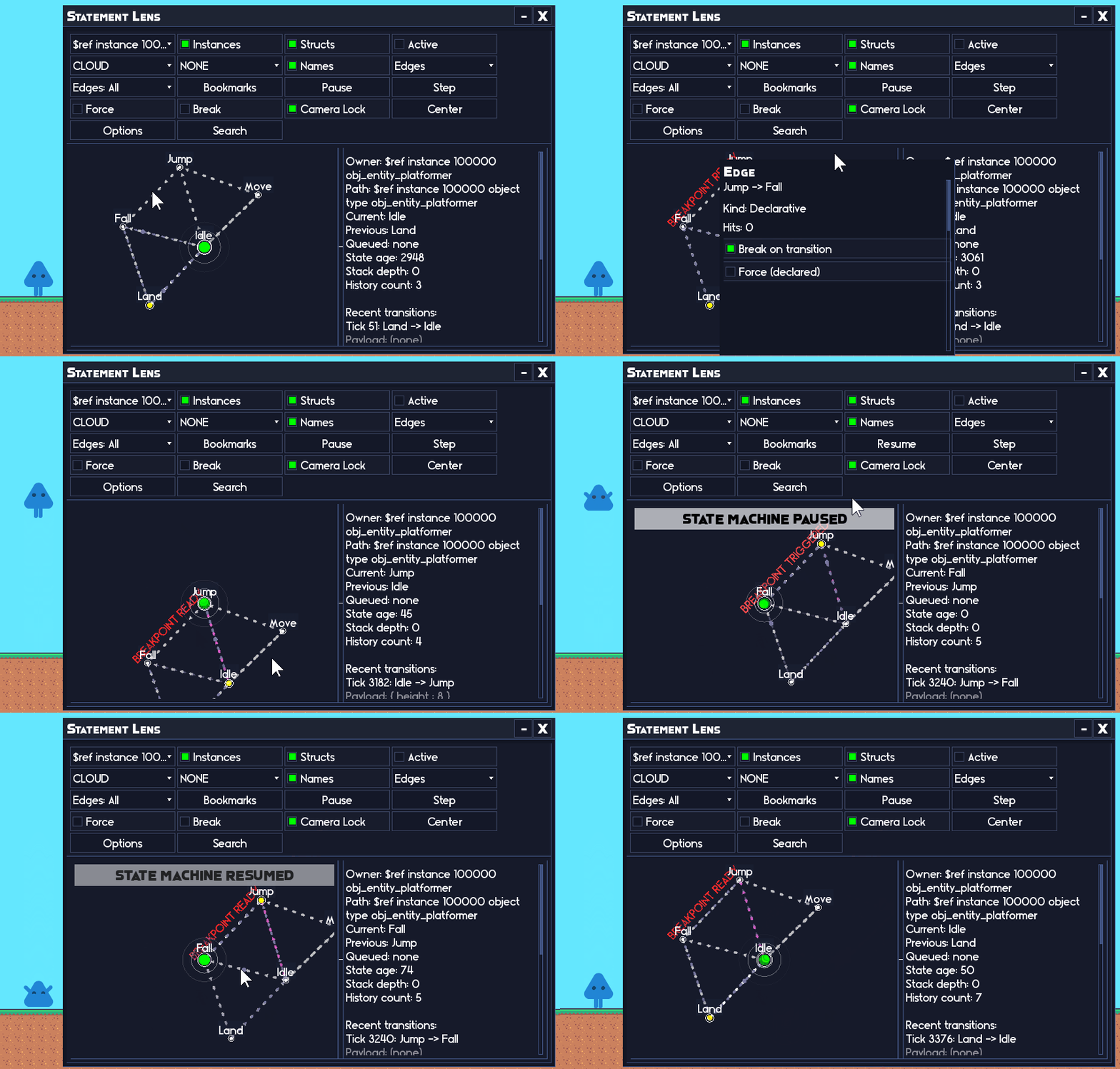 Statement Lens, a visual state machine debugger, is built with Echo Chamber.
Where to go next
- Using Echo teaches the logger from ordinary messages through filtering and history.
- Echo API Reference is the exhaustive Echo logger reference.
- Echo Chamber starts the in-game debug UI side of the package.
Requirements
Echo requires a GameMaker version with support for:
- struct constructors;
method();- the array and struct functions used by the library.
Echo ships with Echo Chamber, but the logger itself can be used without creating or running any Echo Chamber UI.
Help & Support
Bug reports and feature requests
The best place to report bugs or request features is GitHub Issues:
If you're reporting a problem, a small reproduction or code snippet and the relevant Echo calls usually make it much easier to track down.
If you'd rather not use GitHub, you can also post in the Discord:
Questions and discussion
For implementation questions, examples, or general discussion:
Other Cool Stuff
If you like Echo, be sure to check out my other libraries:
Statement
An easy-to-use state manager with a wide range of tools for structuring game state.
Pulse
A signals and queries manager that helps uncouple dependencies and simplify communication between your game systems.
Catalyst
A powerful stat manager for building values such as attack power, movement speed, health, or anything else that needs to be modified and recalculated as the game changes.
Whisper
A narrative manager for building reactive storytelling from small pieces of authored content and the rules that decide when each piece is relevant.

Fate
A weighted roll library for building everything from simple random choices to nested, policy-driven reward and selection systems.

Quill
A free advanced text box system with text selection, right-click context menus, cut/copy/paste, single-line and multi-line editing, and extensive customisation.